



Registration

Register, get your digital pass, and access the event seamlessly.

  1. Step 1

    Visitor Registration

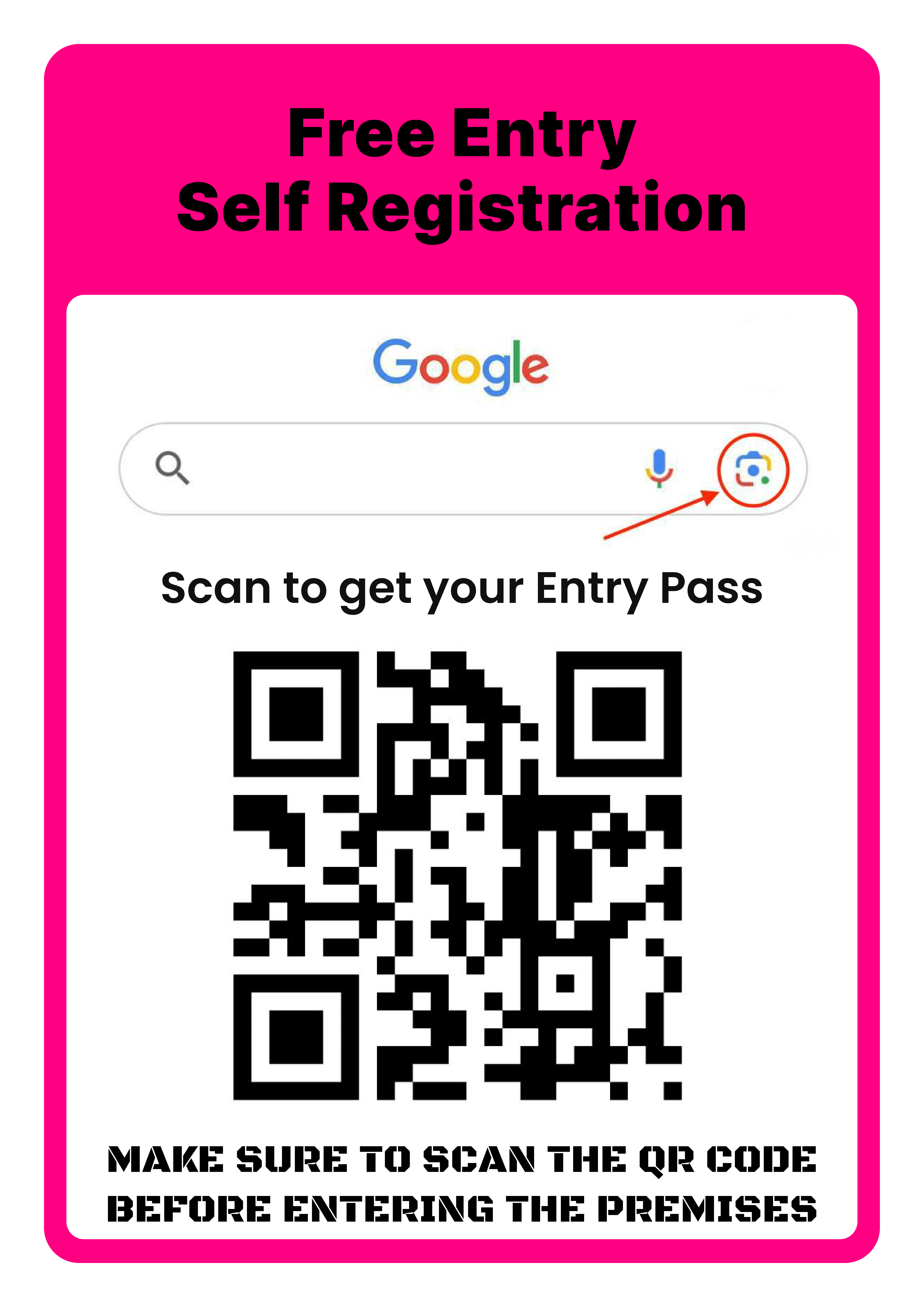
    Pre-registration (Online): Use the event link shared via email or invitation from event organizers.

    (OR)

    At Venue (Offline): Register by scanning the QR code available at the entrance desk or use the provided link.

    Offline Support: If needed, staff at the registration desk can help you complete registration on-site.
    Guide Image
  2. Step 2

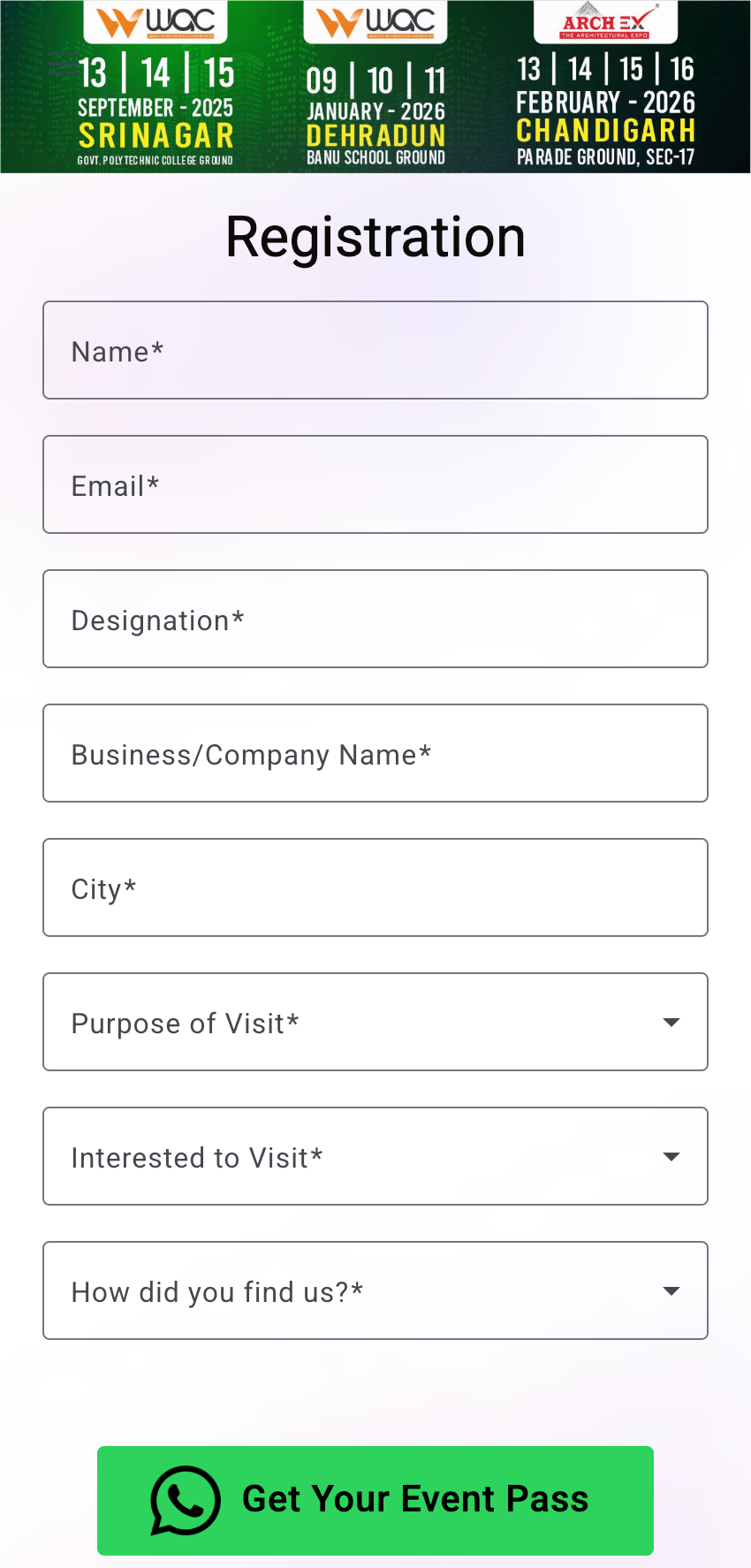
    Fill Registration Form

    1. Enter your basic details (name, email, etc.).

    2. Upload your photo (if required).

    3. Review and submit your information.

    Guide Image
  3. Step 3

    Send Confirmation

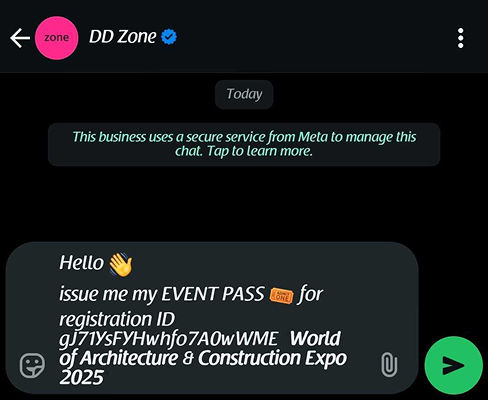
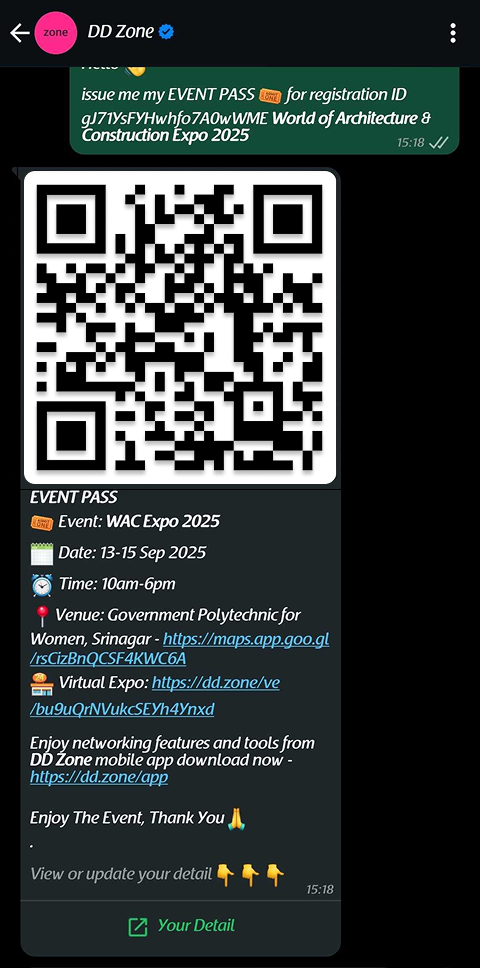
    1. Once your registration is submitted, a confirmation message is sent instantly.

    2. This message includes your registration details and a link to your digital pass.

    Guide Image
  4. Step 4

    Receive Digital Pass

    1. Your secure QR-based event pass is generated automatically.

    2. This pass works as both your Entry Ticket and Digital ID.

    Guide Image
  5. Step 5

    Mark Your Presence

    1. On the event day, show or scan your digital pass at the entry gate.

    2. This verifies your attendance and records your entry.

  6. Step 6

    Get Authorized Access

    1. Based on your pass type, you may get access to VIP lounges, premium areas, or booked amenities.

    2. Staff and systems will validate your access rights automatically via your QR pass.

  7. Step 7

    Access & Explore the Event

    1. Use your digital pass at exhibitor stalls to exchange verified details instantly.

    2. Network, collect brochures, and enjoy the event with zero queues and zero paper.