




Manage Queue
A token line that runs on WhatsApp.
Stick one QR on the wall. Visitors scan it and get a numbered token on WhatsApp; you serve them in order from the DD Zone app. No token machine, no crowd at the counter.
Printed in minutes, running all day
Everything happens in the DD Zone app under Utility » Manage Queue.
Download the DD Zone app
Free on Google Play and the App Store. The queue is managed from your phone — there is no separate device to buy.
Log in with your mobile number
An OTP on your number is all it takes. No forms, no paperwork.
Open Manage Queue
You will find it under the Utility section of the app.
Print the QR sticker
Go to Manage Queue » QR, download the QR sticker PDF, print it and stick it to the wall where people wait.
Visitors scan for a token
Each scan hands the visitor a token with their sequence in the line — on their own phone, no app needed.
Serve, mark done, reorder
Mark a token Done once served, or change the sequence from Manage Queue » Today’s Line.
The sticker, and both sides of the line
What goes on the wall, what the visitor gets, and what you work from.
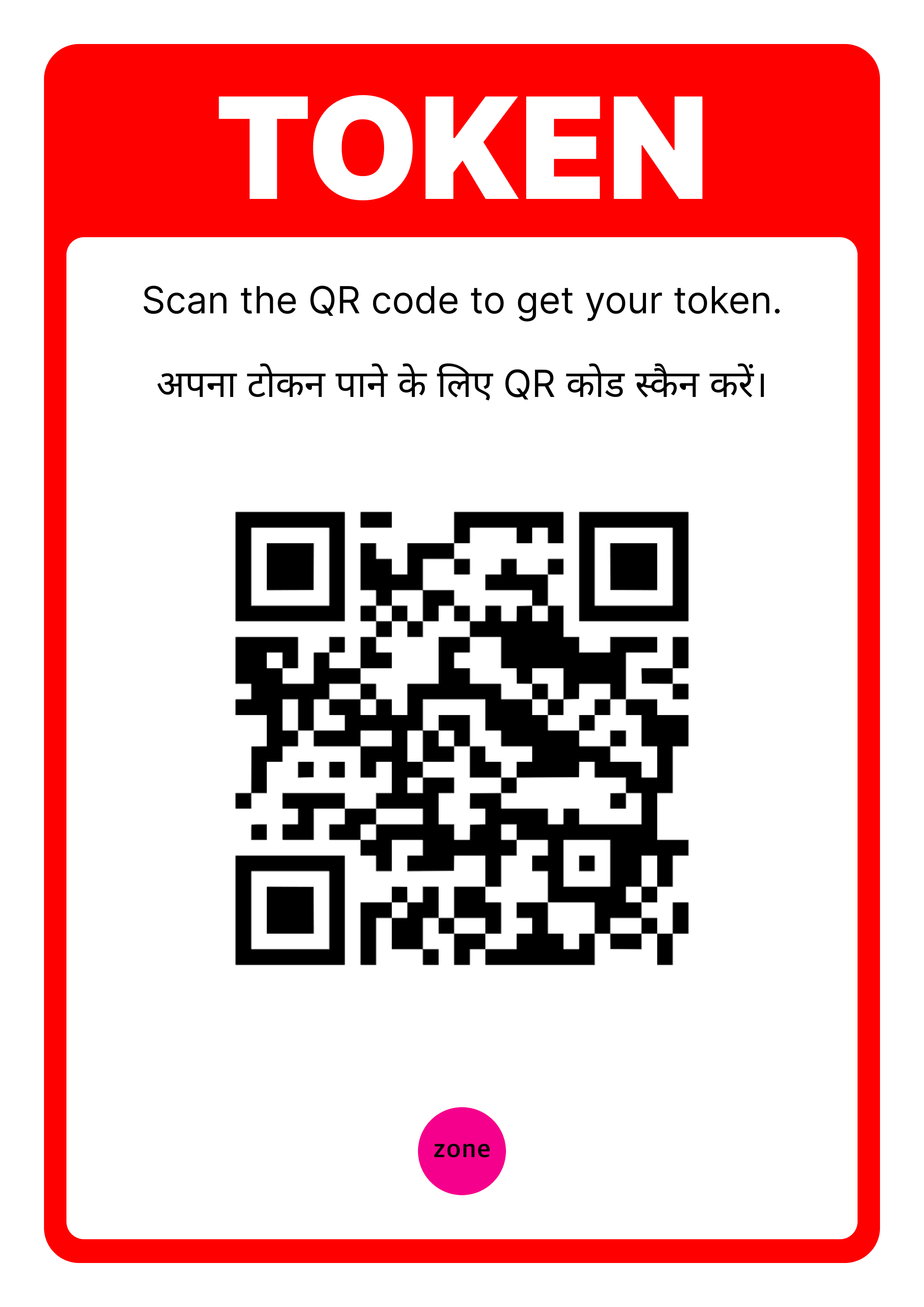
The sticker PDF from Manage Queue » QR — print it and put it where people wait
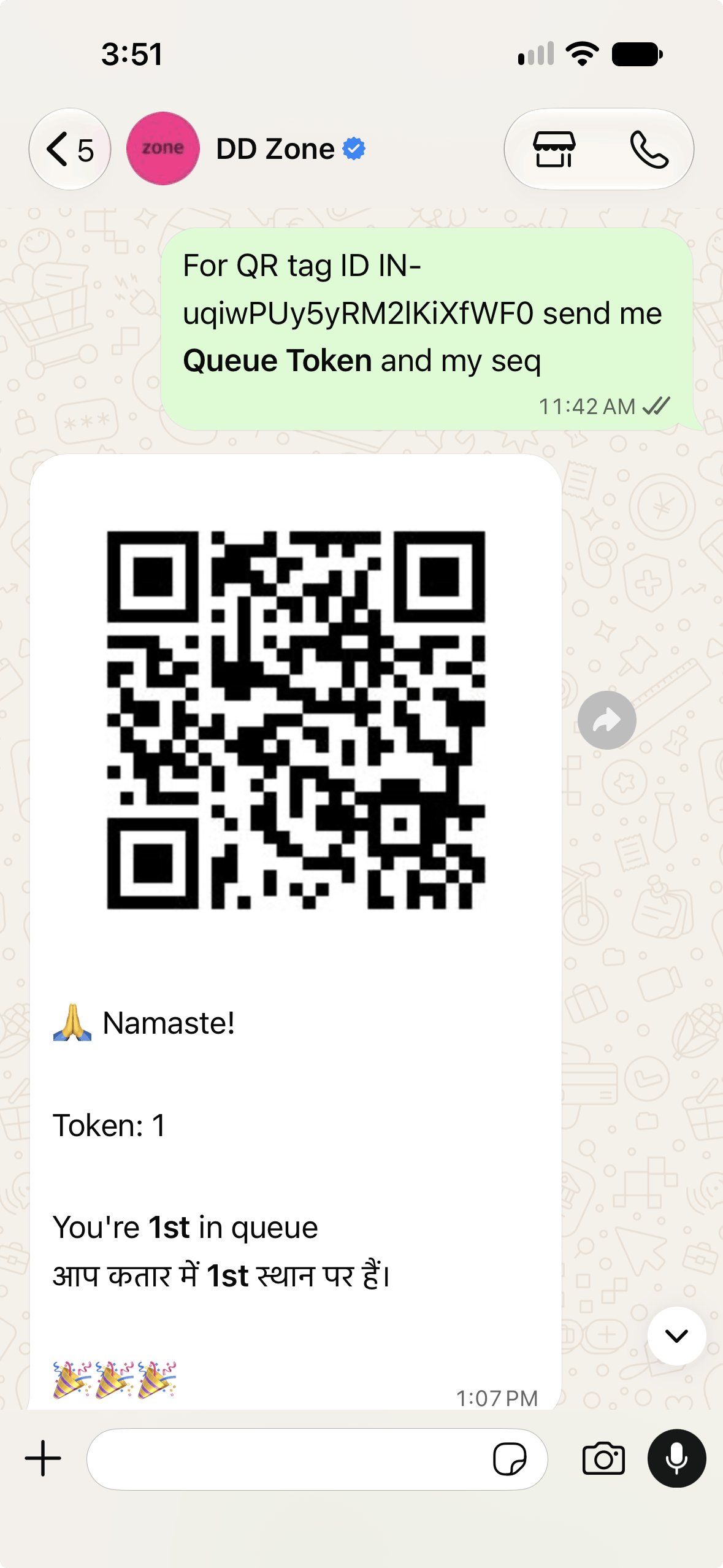
A token and their place in line, delivered on WhatsApp
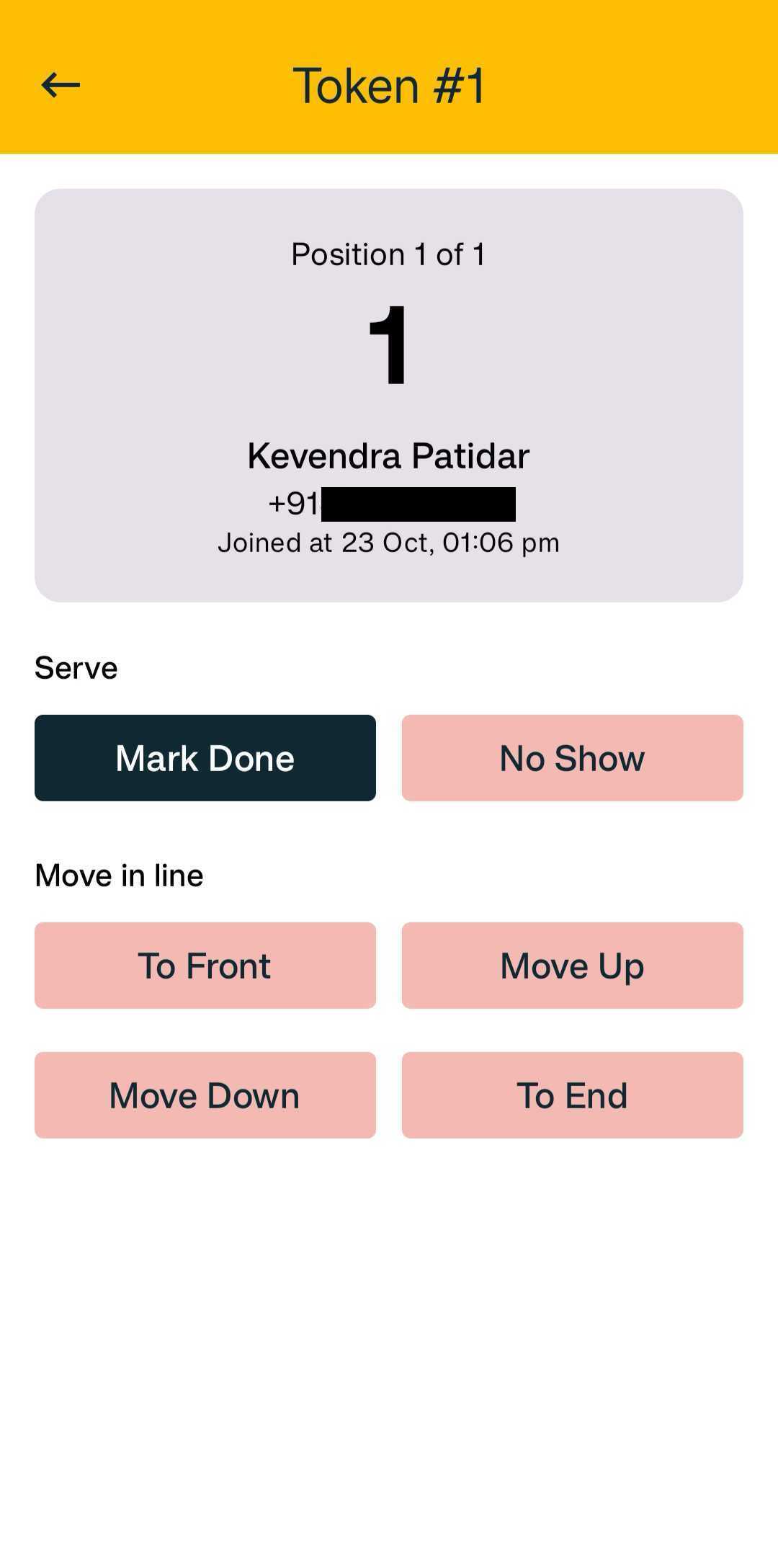
Today’s Line in the DD Zone app — mark done, no show, or move a token
A queue that keeps itself
The visitor holds their own token, so nobody has to mind the line for them.
One sticker, no machine
The whole queue runs off a printed QR on the wall. Nothing to install at the counter and nothing that can break.
Tokens on WhatsApp
The visitor gets a token number and their place in line as a WhatsApp message, in English and Hindi.
Nothing for visitors to install
They scan with the phone camera they already have. No app, no sign-up, no kiosk to queue at.
Today’s Line in your pocket
See everyone waiting, in order, from the DD Zone app — wherever you happen to be standing.
Reorder when you need to
Move a token to the front, up, down or to the end of the line. Priorities change; the queue follows.
Mark Done or No Show
Clear a token the moment someone is served, or mark them a no-show if they wandered off.
Wherever people
wait for you
Clinics and labs
Patients take a token from the waiting-room wall and keep their place without crowding the desk.
Salons and service counters
Walk-ins join the line as they arrive, and you call them in the order they came.
Offices and front desks
Anyone with a question scans once and waits their turn — the receptionist handles one person at a time.
Anywhere a line forms
If people have to wait for you, a sticker on the wall is enough to keep that wait orderly.
Put the queue on the wall, not at the desk.
Download the DD Zone app, print the QR sticker from Manage Queue, and your line starts working the moment the first visitor scans it.