




Guard what matters
One scan. Instant alert.
A quiet QR code on your child, your pet, your bag or your gate. When a stranger scans it, you hear about it in seconds — and they never see your phone number.

Eight ways to stay covered
The same scan-to-alert idea, shaped for the people, animals and things you would hate to lose.
Child Safety QR
A tag on the uniform, bag or wrist band. Whoever finds your child scans it and you are alerted instantly with their location.
ExplorePet Safety QR
A collar tag that never runs out of battery. A finder scans and reaches you on a masked number, with the scan location attached.
ExploreLost & Found QR
Luggage, laptop bags, phones, keys and water bottles. One sticker turns any finder into a way home for your things.
ExploreEmergency QR
A tag on a helmet, vehicle or wrist band. In an accident, a bystander scans it and your emergency contacts are alerted with the location — plus the medical details you chose to share.
ExploreSmart Doorbell QR
A QR at the gate instead of a bell. Visitors verify their number and video-call you — your real number is never revealed.
ExploreVisitor Pass QR
Self check-in at the gate with a photo and a verified mobile number. Every entry and exit lands in a searchable log.
ExploreManage Queue
One QR sticker on the wall. Visitors scan it for a numbered token on WhatsApp, and you serve them in order from the DD Zone app.
ExploreChild Pickup Pass
Parents issue a time-boxed pass to the guardian collecting their child. The school scans it and knows exactly who left with whom.
ExploreOne QR family,
every tag you need
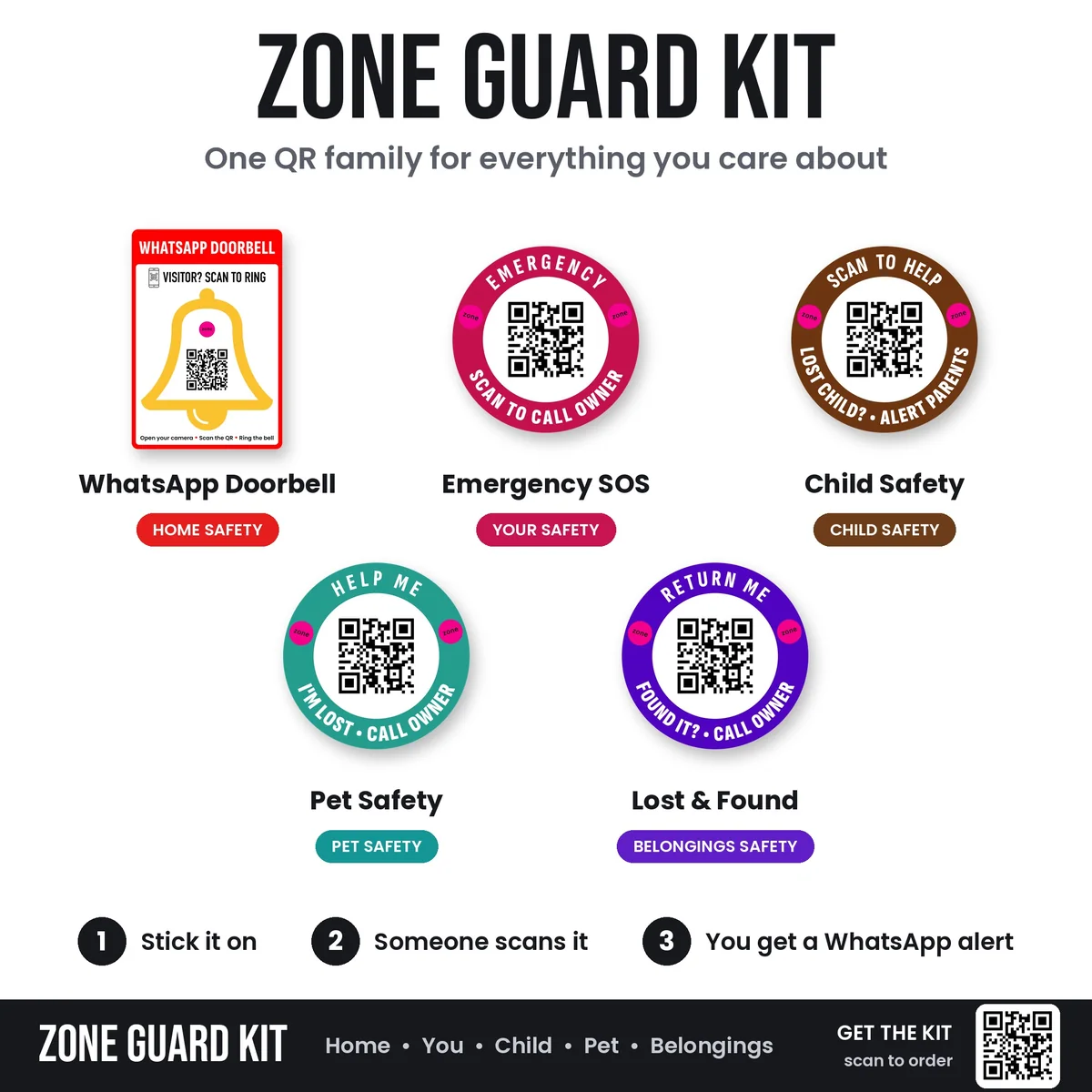
Doorbell plate, emergency sticker, child safety sticker, pet tag and lost & found tag — each printed in its own colour so nobody has to guess what a scan is for.
Three steps, no app
Attach the QR
Stick, stitch or clip the tag onto what you want protected — a uniform, a collar, a suitcase, a gate.
Someone scans it
Any phone camera works. No app to install, no account to create on the finder's side.
You get alerted
You receive the scan with its location and a masked way to talk to the finder. Your details stay private.
Private by
design
Nothing printed on the tag
No name, no address, no number. The QR carries only an opaque code that means nothing on its own.
Masked calling
Finder and owner talk through a relay number. Neither side walks away with the other's contact.
Every scan logged
Time, approximate location and the verified mobile number behind each scan — yours to review any time.
Yours to switch off
Deactivate a tag the moment it is no longer needed, and it stops resolving to you immediately.
Put a guard on it
before you need one.
Order a tag, link it in the DD Zone app, and it starts working the moment someone scans it.